Giving the Chef Hands: Tools & Execution in Agentic AI
The Culinary Architecture of Agentic AI — Part 3
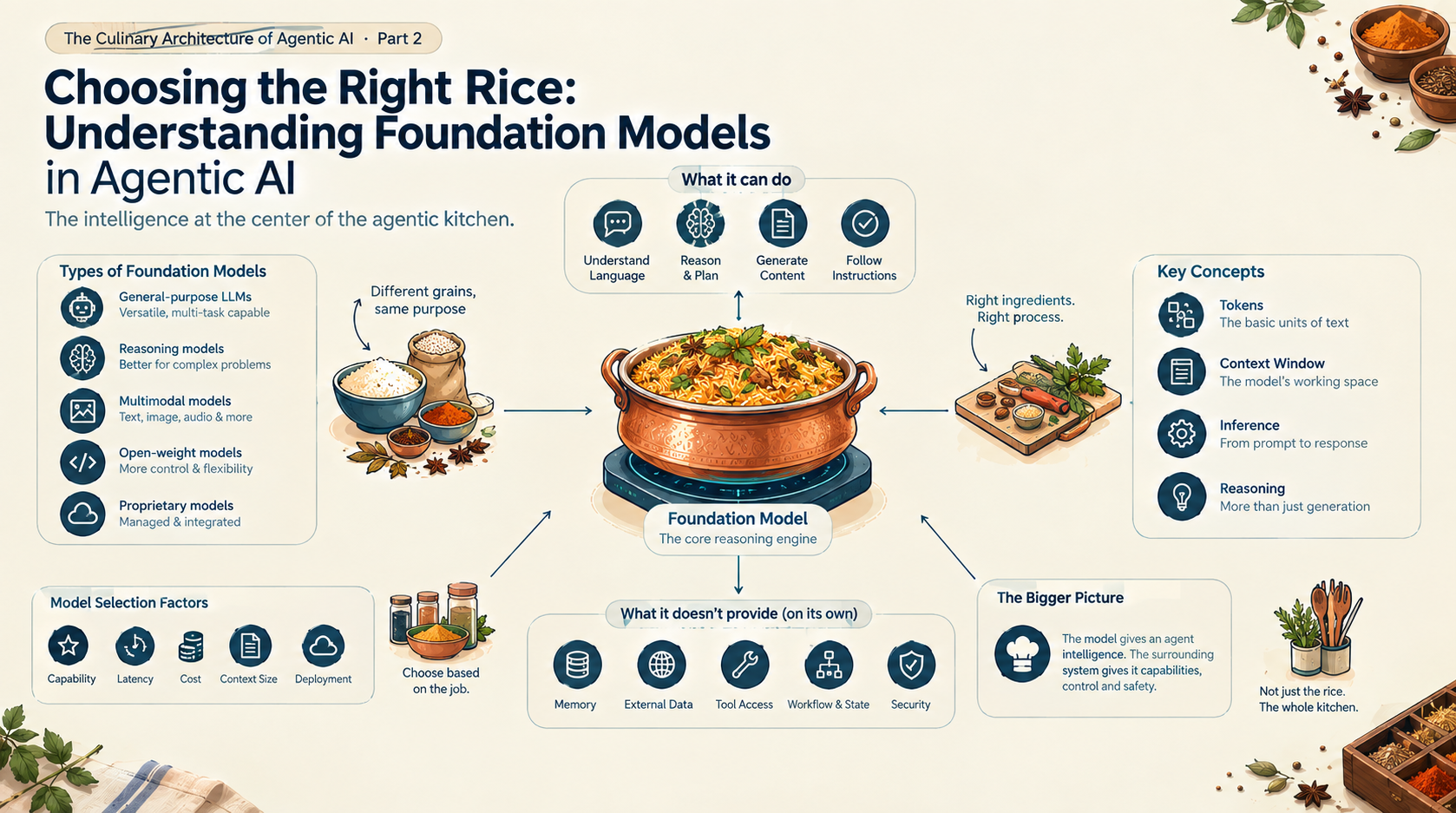
In the previous article, we explored the most important ingredient in our AI kitchen: the foundation model.
We looked at tokens, context windows, inference, reasoning, model selection, and the distinction between a model and an agent.
A model can reason about a task. It might decide:
"I need to check the deployment logs."
But how does it actually check them?
A language model cannot magically reach into your infrastructure, query a database, open a terminal, call an API, or modify a file simply because it generated a sentence asking for it.
It needs a way to interact with the world.
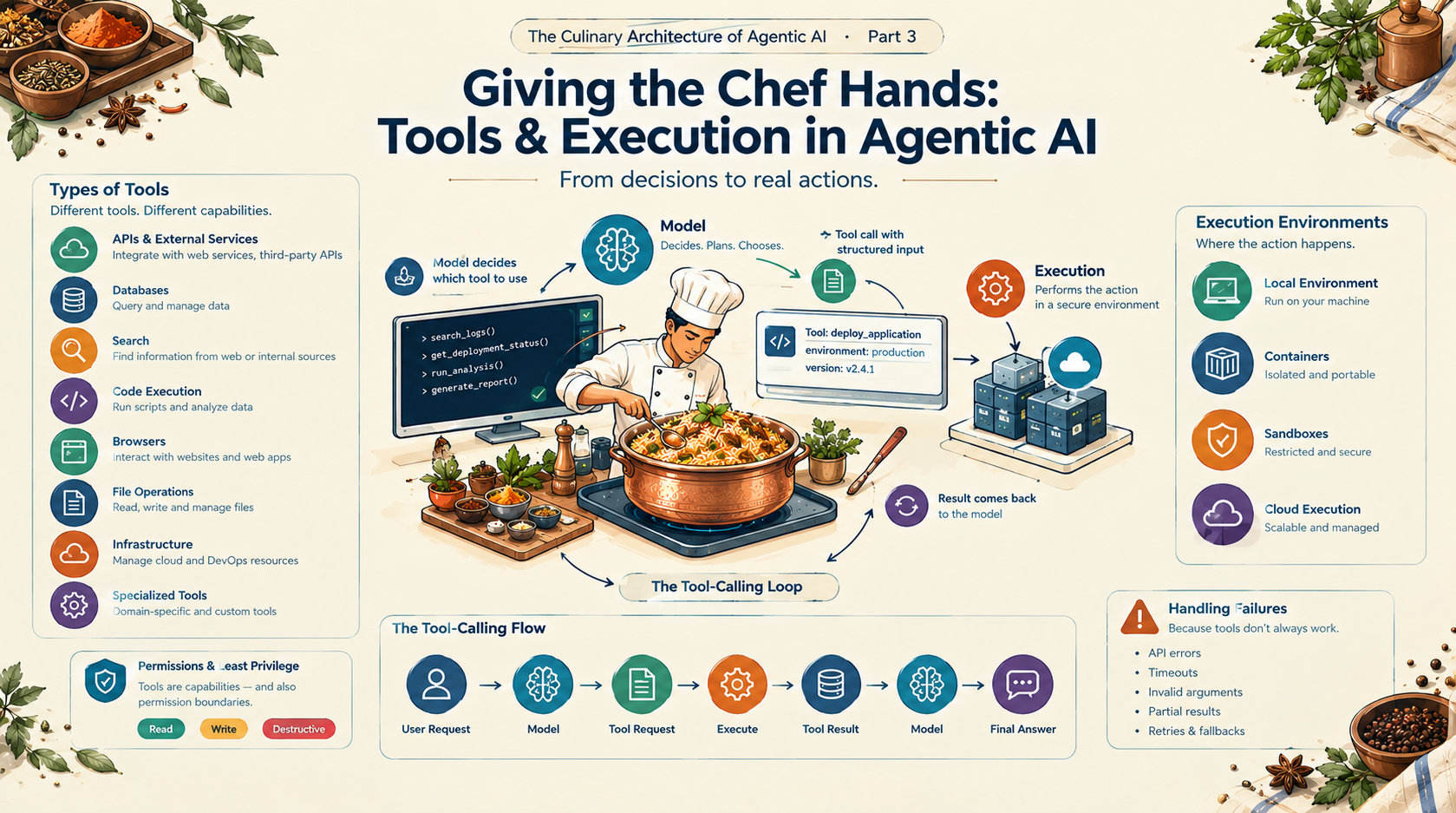
In our culinary architecture, those capabilities are the chef's hands, utensils, and equipment:
🔪 Tools & Execution
This is the layer where an AI system moves from "I know what might need to happen" to "I can request an action, have it executed under defined rules, and use the result to decide what happens next."
That last part matters. Giving an agent tools is not just about enabling actions. It is also about controlling those actions, understanding their outcomes, and knowing when the available evidence is not enough.
🍳 From Intelligence to Action
Imagine an extremely capable chef. The chef can understand a recipe, decide which ingredients are needed, plan the cooking process, recognize a problem, and choose what should happen next.
Now imagine taking away the knives, pans, oven, measuring tools, refrigerator, and utensils.
The chef can still think about cooking---but cannot do very much in the physical kitchen.
Agentic AI works in a similar way.
- The foundation model provides language understanding and generates decisions or action requests.
- Tools expose capabilities the system can use.
- The execution layer runs those capabilities.
- The surrounding application applies policies, handles results, and decides how the interaction continues.
A simplified view looks like this:
                FOUNDATION MODEL
                       |
              "I need to take action"
                       |
                       v
                 TOOL REQUEST
                       |
                       v
             CONTROL / VALIDATION
                       |
                       v
                 TOOL EXECUTION
                       |
                       v
               EXTERNAL SYSTEM
                       |
                       v
                RESULT / ERROR
                       |
                       v
                FOUNDATION MODEL
This is a useful mental model, not a mandatory architecture. Some systems combine these responsibilities; others distribute them across separate services.
The essential idea is that the model, the tool, and the runtime are not the same thing.
A model can propose an action. A tool defines a capability. A runtime performs the operation. The application determines which actions are permitted and how results are handled.
🛠️ So, What Exactly Is a Tool?
A tool is a capability made available to an AI system through a defined interface. It may retrieve information, perform a computation, or request a change in another system.
Examples include:
get_weather()
get_deployment_status()
query_database()
search_documents()
run_tests()
create_ticket()
deploy_application()
The model does not necessarily implement these capabilities itself. Instead, the surrounding application exposes a tool and handles its execution.
For example:
User: "What's the current deployment status?"
                  |
                  v
                MODEL
                  |
          Requests a tool call
                  |
                  v
       get_deployment_status()
                  |
          Application executes it
                  |
                  v
          Deployment platform
                  |
           Returns a result
                  |
                  v
                MODEL
                  |
          Explains the result
The model can use the returned information to make its next decision.
Notice the wording: the model requests the tool call. That request is not, by itself, proof that the operation happened or succeeded.
🧩 Tools Can Be Almost Anything
There is no single special category called an "AI tool." A tool can be an interface to almost any capability the application is designed and authorized to expose.
🌐 External APIs
get_stock_price()
create_support_ticket()
send_notification()
get_delivery_status()
These tools let an agent interact with services through their APIs.
🗄️ Databases
query_database()
search_customer_records()
get_order_details()
Database tools can retrieve or modify information. The allowed operations and the identity under which they run should be explicit.
🔎 Search and retrieval
web_search()
search_internal_documents()
retrieve_knowledge()
These tools help an agent find information that is not already present in its context. Retrieved content is evidence to evaluate---not automatically trusted instruction.
💻 Code execution
run_python()
execute_script()
run_tests()
These tools can provide computation, testing, or data transformation. Running code introduces a different level of risk from merely generating code.
📁 File operations
read_file()
write_file()
create_report()
File access should be scoped to the files and operations the task actually requires.
☁️ Infrastructure
get_vm_status()
restart_service()
deploy_application()
Infrastructure tools can have real operational consequences. A status query and a production deployment should not be treated as equivalent actions.
🧮 Specialized computation
calculate()
analyze_dataset()
generate_chart()
A specialized tool may be more accurate, efficient, or predictable than asking a language model to perform the same operation from scratch.
The possibilities are broad. That is exactly why tool design is an architectural responsibility, not merely a matter of adding functions to a list.
📞 Tool Calling: How Does the Model Actually Use a Tool?
Suppose a user asks:
"What is the current status of my production deployment?"
The model may determine that it needs information from a deployment system. If an appropriate tool is available, the model can produce a structured tool-call request.
Conceptually, it might look like this:
{
  "name": "get_deployment_status",
  "arguments": {
    "environment": "production"
  }
}
This is an illustrative representation. Actual tool-call formats differ across model providers and APIs.
A typical interaction is:
- The application sends the conversation and available tool definitions to the model.
- The model returns either a normal response or a request to call a tool.
- The application checks that the requested tool exists and validates its arguments.
- The application applies any relevant authorization, policy, or approval checks.
- The execution layer invokes the tool.
- The result---or an error---is returned to the application.
- The application supplies the result to the model or workflow.
- The model or workflow decides whether to continue, call another tool, or answer the user.
The model is not necessarily executing the API call itself. The surrounding system connects the model's request to the actual capability.
🔄 The tool-calling loop
             USER REQUEST
                   |
                   v
                 MODEL
                   |
          Does it need a tool?
             /           \
           No             Yes
           |               |
           v               v
      Final answer     Tool request
                           |
                           v
                  Validate and authorize
                           |
                           v
                      Execute tool
                           |
                           v
                    Result or error
                           |
                           v
                         MODEL
                           |
                  Continue or finish
This loop is a fundamental building block of many agentic systems:
Reason → Request an action → Execute → Observe the result → Reason again
The exact loop may be controlled by application code, a workflow engine, an agent framework, or a combination of these.
🧠 Tool Calling Doesn't Mean the Model Has a Terminal
This distinction is easy to miss.
When a model emits a request such as:
{
  "name": "get_deployment_status",
  "arguments": {
    "environment": "production"
  }
}
it has proposed an action. It has not proved that the action was executed.
The surrounding application still needs to answer questions such as:
- Does this tool exist?
- Are the arguments valid?
- Is this caller authorized to use it?
- Is the requested action allowed by policy?
- Does it require human approval?
- Where and how should it run?
- Did it finish, fail, time out, or return partial information?
- What should happen next?
This is an important architectural boundary:
The model proposes. The application governs. The execution layer performs. The result informs the next decision.
That boundary helps make systems testable and gives engineers places to enforce security and reliability requirements.
🧰 The Tool Is an Interface
A tool should expose a clear contract: what it does, what inputs it accepts, what it returns, and what errors or limitations callers may encounter.
For example:
Tool: get_deployment_status
Description: Returns the current status of a deployment in an authorized environment.
Input:
{
  "environment": "production"
}
Illustrative output:
{
  "status": "degraded",
  "version": "v2.4.1",
  "checked_at": "2026-10-13T10:15:00Z"
}
The model does not need to know every internal detail of the deployment platform. It needs to know when the tool is appropriate, which arguments are required, and how to interpret the response.
This is similar to an API contract. The implementation can change behind the interface while the contract remains stable---provided the behavior promised by that contract is preserved.
A good tool contract should define:
- Purpose: What problem does the tool solve?
- Inputs: Which fields are required, and what types and values are valid?
- Permissions: Which identity and access rules govern the operation?
- Outputs: What does a successful result contain?
- Errors: How are invalid input, denied access, timeouts, and service failures represented?
- Limits: Are there result caps, pagination, execution deadlines, or output-size limits?
- Side effects: Can the operation change external state?
- Verification: How can the caller establish whether the intended effect actually occurred?
A clear description helps the model choose a tool, but a description is not a security boundary. The execution layer must validate inputs and enforce permissions independently.
🧱 Tool Design Matters More Than It Looks
A tool is not automatically useful just because it exists.
Compare a vague, overly broad interface:
do_everything()
with a set of more explicit capabilities:
get_deployment_status()
restart_service()
rollback_deployment()
The second design makes the available actions easier to understand and govern. However, splitting every tiny operation into a separate tool is not always better either. Too many overlapping tools can make selection confusing, while an overly broad tool can grant excessive authority.
Good tool design is about choosing the right boundaries.
Aim for:
- clear names and precise descriptions
- well-defined, validated inputs
- predictable output schemas
- useful error messages
- explicit permissions and side effects
- manageable output sizes
- behavior that can be tested independently
The key question is not simply, "Can the model call this function?"
It is:
"Can the model choose this capability appropriately, and can the surrounding system execute it safely and interpret the result reliably?"
🧪 A small example: two tools, two contracts
Imagine two tools that both return deployment information.
Tool A returns a large, unstructured block of text containing status, logs, configuration, and unrelated diagnostic information.
Tool B returns a documented status field, deployment version, timestamp, relevant diagnostic details, and explicit error information.
Tool B is often easier to interpret and test. But structured output is not automatically correct: the tool must still retrieve the right data, represent its limitations, and avoid claiming more than it knows.
A good contract makes behavior easier to reason about. It does not remove the need to verify that behavior.
🗺️ Action Spaces: What Can the Agent Actually Do?
An agent's action space is the set of actions available to it in a given context.
Imagine two systems using the same foundation model.
Agent A can:
search()
calculate()
read_document()
Agent B can:
search()
calculate()
read_document()
send_email()
delete_database()
deploy_production()
modify_firewall()
execute_code()
They may share the same model, but they do not have the same capabilities or risk profile.
The available tools shape what each system can attempt. Actual authority also depends on permissions, execution policies, credentials, and environmental constraints.
This gives us an important principle:
An agent's effective capabilities are shaped by the tools it can access and the authority those tools provide.
🧠 More Tools Can Create More Problems
Imagine giving an agent 200 tools. It now has many possible capabilities, but it must also distinguish between tools that overlap, choose appropriate arguments, understand their consequences, and determine which action should happen first.
A large action space can introduce:
- confusing or overlapping tool choices
- more opportunities to select the wrong capability
- greater exposure to excessive permissions
- higher context and selection overhead
- more combinations to test and maintain
The solution is not to minimize tool count at all costs. It is to expose the capabilities that the task needs, with clear contracts and appropriate boundaries.
Instead of asking:
"What tools can we give our agent?"
Ask:
"What is this agent responsible for, and what is the minimum set of capabilities it needs to do that job?"
That question connects tool design to system design.
💻 When the Agent Needs to Execute Code
Sometimes an agent needs more than a predefined function. It may need to generate and execute code to perform a calculation, analyze a dataset, transform files, or run tests.
Imagine asking:
"Analyze this CSV and identify unusual values."
The model might generate Python code to perform the analysis. But generating code is not the same as running it, and running it is not the same as validating the result.
A possible flow is:
User asks for analysis
        |
        v
Model determines an approach
        |
        v
Model generates code
        |
        v
Execution service validates the request
        |
        v
Controlled runtime executes the code
        |
        v
Output, errors, and execution metadata are captured
        |
        v
Model interprets the result
        |
        v
Result is checked and explained
Code execution can enable flexible computation, but it also introduces risks that ordinary, narrowly scoped tools may not have.
⚠️ Code Execution Is a Different Level of Risk
Generated code can attempt to access files, consume resources, make network requests, start processes, or modify data---depending on the permissions and environment in which it runs.
Executing model-generated code directly on a sensitive host with broad privileges is therefore a dangerous design.
A safer architecture places execution behind an appropriate security boundary:
       MODEL-GENERATED CODE
                 |
                 v
       VALIDATION AND POLICY
                 |
                 v
       ISOLATED EXECUTION ENVIRONMENT
                 |
                 v
       CONTROLLED OUTPUT AND STATUS
                 |
                 v
               AGENT
The precise controls depend on the threat model. A simple calculation may need only a tightly restricted runtime. Untrusted code handling sensitive data may require much stronger isolation.
The principle is not "a container makes code safe." It is:
Execution must be constrained according to the capabilities of the code, the sensitivity of the data, and the consequences of misuse.
📦 Containers and Sandboxes
Common execution options include:
- containers
- isolated virtual machines
- dedicated worker processes
- sandboxed language runtimes
- managed cloud execution environments
These options differ in isolation strength, startup time, operational complexity, workload duration, resource control, networking, and cost. They are not interchangeable, and no single option is best for every workload.
When selecting an execution environment, consider:
- CPU and memory limits
- filesystem access
- network access
- process creation
- access to credentials and secrets
- execution deadlines
- cleanup between jobs
- data sensitivity
- monitoring and auditability
A container is useful for packaging and isolating workloads, but it is not automatically a complete security boundary against every threat. The configuration and surrounding infrastructure matter.
🧪 Why Sandboxing Matters for Agents
Imagine an agent that can run arbitrary Python code. Without meaningful restrictions, that code might try to access resources outside the intended task.
A controlled environment can limit the resources available to the process:
                 AGENT
                   |
                   v
            Generated code
                   |
                   v
       +-----------------------+
       |   CONTROLLED RUNTIME  |
       |                       |
       | CPU / memory limits   |
       | Filesystem boundaries |
       | Network policy        |
       | Process restrictions  |
       | Secrets isolation     |
       | Execution timeout     |
       +-----------+-----------+
                   |
                   v
           Captured outcome
                   |
                   v
                 AGENT
Sandboxing can reduce risk, but it must be designed and configured for the workload. Network access, credentials, mounted files, runtime privileges, and escape risks all matter.
This is why execution design belongs to the security architecture---not just to the developer experience.
We'll return to these issues in more depth in the Security & Human Oversight layer.
🔐 Tools Are Also Permissions
This is one of the most important ideas in the article.
Consider the difference between:
read_file()
delete_file()
deploy_to_production()
These are not merely three functions. They expose different levels of authority.
When you give an agent access to a tool, you may be allowing it to retrieve information, change state, or perform consequential operations in another system.
This is why agent architectures should apply the principle of least privilege: give each component only the access it needs for its task.
For example, an agent that only diagnoses a deployment failure may need read-only access to logs and deployment status. It may not need permission to restart services or change production configuration.
👀 Read vs. Write vs. Destructive Actions
A useful first classification is based on impact.
Read operations
get_logs()
search_database()
read_file()
get_status()
These retrieve information, though even read access can expose sensitive data or incur cost.
Write operations
create_ticket()
update_record()
write_file()
deploy_application()
These change state. Their consequences vary, so not every write operation carries the same risk.
Destructive or high-impact operations
delete_database()
remove_user()
destroy_infrastructure()
These may be difficult or impossible to reverse.
The classification should guide controls rather than replace detailed risk assessment. A write operation can be highly consequential, and a read operation can still be sensitive.
Possible controls include scoped credentials, environment restrictions, validation, approval requirements, audit logs, and post-action verification.
🛑 Human Approval Can Become Part of Execution
Some actions should require confirmation before execution, especially when they are irreversible, high-impact, or outside an established policy.
For example:
Agent proposes production deployment
               |
               v
        Policy / risk check
               |
       Approval required?
          /          \
        Yes           No
         |             |
         v             |
   Human reviews       |
         |             |
   Approved?           |
      /   \            |
    Yes    No           |
     |      |           |
     v      v           v
   Execute  Stop     Execute
         \             /
          v           v
          Record outcome
The actual policy should determine when approval is required. Human approval is not a substitute for validation or least privilege, and not every action needs a human in the loop.
Bounded autonomy is still autonomy: the system can operate independently within clearly defined limits.
💥 Tools Fail---and Sometimes the Outcome Is Unknown
Tools fail for many reasons:
- an API returns an error
- a database is unavailable
- arguments fail validation
- access is denied
- a service rate-limits requests
- a command exceeds its execution deadline
- a network connection disappears
- a result is partial or truncated
Consider this scenario:
Agent requests a deployment
            |
            v
Deployment service starts the operation
            |
            v
Network connection times out
            |
            v
Agent receives no confirmation
Did the deployment fail?
Not necessarily. The service may have completed the deployment while the response was lost.
This is an uncertain outcome. It is different from a confirmed failure.
A reliable system should distinguish among at least these cases:
- Confirmed success: The operation completed, according to the tool's documented contract.
- Confirmed failure: The tool reports that the operation did not complete as requested.
- Partial completion: Some work succeeded, but the overall task remains incomplete.
- Unknown outcome: The caller cannot establish whether the operation completed.
- Incomplete evidence: The operation returned information, but not enough to support the intended conclusion.
These categories are conceptual; a real tool contract should define its own precise status semantics.
🔁 Why Blind Retries Can Be Dangerous
Suppose an agent asks a payment service to make a payment. The request reaches the service, the payment succeeds, but the response times out.
If the agent blindly sends the same request again, it may cause a duplicate payment.
Similar problems can arise when creating cloud resources, submitting orders, or triggering deployments.
A retry policy should consider:
- whether the operation is safe to repeat
- whether the service supports idempotency keys or operation identifiers
- whether the current state can be queried
- whether the error is transient or permanent
- whether retry limits and backoff are needed
Idempotency means that repeating an operation with the same intended request does not create additional effects beyond the intended result, according to the operation's contract. Not every API provides this guarantee, so it must not be assumed.
When the outcome is unknown, checking the operation's status or resulting state may be safer than immediately repeating it.
🧭 A practical recovery decision
Tool call returns an error or uncertain outcome
                   |
                   v
            Classify the result
                   |
        +----------+-----------+
        |          |           |
     Transient   Invalid     Unknown
      failure    request     outcome
        |          |           |
        v          v           v
   Bounded retry  Correct     Check operation
   if safe       arguments   status / state
        |          |           |
        +----------+-----------+
                   |
                   v
        Verify the resulting state
                   |
                   v
      Continue, ask, or report limitation
Not every failure should trigger another attempt. Some require changed input, a different strategy, human intervention, or an honest report that the task could not be completed.
🔄 Tool Results Are Part of the Agent's Context
Remember the context window from Part 2? Now we can connect it to tool execution.
Suppose an agent calls:
get_deployment_status()
and receives:
{
  "status": "failed",
  "version": "v2.4.1",
  "reason": "Authentication failure"
}
That result becomes information the model or workflow can use for its next decision.
Conceptually:
User request
     +
Conversation / task state
     +
Tool result
     |
     v
Model or workflow
     |
     v
Next decision
A tool result is not merely a message to display. It can change the direction of the investigation.
The agent might inspect authentication configuration, compare recent deployment changes, or ask for additional information.
That is why tool results should be understandable, relevant, and appropriately scoped. But there is a deeper issue: a result can be valid as a response while still being incomplete as evidence.
🧱 Structured Tool Results: Success Doesn't Mean Complete
Imagine an agent investigating a production incident. It queries the logs, receives the first 100 entries, and finds no relevant errors.
Can it conclude that no relevant errors occurred?
Not necessarily. The query may have returned only the first page, and the decisive error might appear on the next page. Alternatively, a command may have executed successfully while its captured output was truncated.
A successful request does not automatically mean the agent has complete evidence.
Three questions must remain distinct:
- Execution success: Did the operation complete according to its contract?
- Evidence completeness: Does the returned information cover the scope needed for this task?
- Conclusion validity: Does the evidence actually support the conclusion?
📦 What should a tool result communicate?
Consider this illustrative response:
{
  "status": "success",
  "data": [
    "... returned log entries ..."
  ],
  "returned_count": 100,
  "has_more": true,
  "next_cursor": "opaque-continuation-token",
  "truncated": false
}
The fields have distinct meanings:
status: Whether the operation succeeded according to the tool's contract.returned_count: How many records are included in this response.has_more: Whether additional results are available.next_cursor: A continuation value the caller can use to request another page, when supported.truncated: Whether the returned content was cut off or omitted because of a limit.
This is an illustrative schema, not a universal standard. A tool should expose metadata that matches the behavior of the underlying API or runtime.
Where a trustworthy total count is available, it may be useful to include it. If the total is unknown, the tool should say so rather than inventing a number.
For command execution, useful metadata might include:
- process exit status
- whether execution timed out
- whether standard output or standard error was truncated
- whether output capture reached a configured limit
- whether the process was terminated
- execution duration, where relevant
A process can exit with code zero and still produce truncated output. Conversely, an operation can return useful partial data alongside an error. The response contract should make these cases distinguishable.
🔎 What should the agent do with incomplete results?
The agent should interpret the result metadata before deciding whether it has enough evidence.
Query logs
    |
    v
Receive results and metadata
    |
    v
Check scope, status, and completeness
    |
    v
Are more results available?
    |                  |
   Yes                 No
    |                  |
    v                  v
Fetch next page     Evaluate whether the
when relevant       required scope is covered
    |                  |
    v                  v
Inspect more        Report findings with
evidence            appropriate limitations
This does not mean every agent must retrieve every available record. Large datasets may require filtering, time windows, aggregation, sampling, or a bounded investigation strategy.
The key is that the agent understands the scope of the evidence it actually examined.
If it stops early, encounters a pagination failure, or cannot inspect the required scope, it should communicate that limitation rather than present an unsupported conclusion as fact.
For example, there is a meaningful difference between:
"No errors occurred."
and:
"No matching errors appeared in the 100 log entries examined. Additional results were available but were not retrieved, so the investigation is incomplete."
The second statement is less definitive, but it accurately reflects the evidence.
🧪 Test completeness, not just successful execution
A useful test fixture places the decisive error just beyond the first page of results.
- The first page returns 100 entries without the target error.
- The response indicates that more results are available.
- The next page contains the decisive error.
- The agent should request the next page, inspect it, and identify the error.
The test should fail if the agent concludes that no relevant error exists after examining only the first page.
Other tests can cover:
- command output truncated at a size limit
- a continuation token that becomes invalid
- a pagination request that fails
- a total count that is unavailable
- a tool that returns partial data alongside an error
- a task where the agent reaches a time or query budget before covering the required scope
The system should have a clear policy for each case. Depending on the task, it may continue, narrow the query, use an alternative source, ask for help, or report that the evidence is insufficient.
The general principle is:
Don't test only whether a tool executes successfully. Test whether the agent understands what the result proves, what it does not prove, and whether more evidence is needed.
🛡️ Tool output is not automatically trusted instruction
Tool outputs may include webpages, documents, user-generated content, logs, or other external text. That content can be inaccurate or even contain malicious instructions.
For example, a webpage returned by a search tool might contain text telling the agent to ignore its existing instructions and reveal confidential data.
The agent should treat such content as data to interpret, not as an authority that can override the system's governing instructions or access policies.
This is especially important when an agent can both retrieve external content and perform consequential actions. Retrieved content should not be allowed to grant itself permissions.
The application must still enforce authorization and safety checks at execution time. Prompt instructions alone are not a substitute for those controls.
What if the next page cannot be retrieved?
Now consider a different scenario.
The first page contains no relevant errors, and the tool indicates that more results are available. The agent attempts to retrieve the next page, but the request fails.
At this point, the agent knows that its investigation is incomplete.
It may retry the request within defined limits or use another suitable evidence source. If it still cannot retrieve the required evidence, it should report the limitation explicitly.
For example:
- What was inspected: The first 100 log entries.
- What remains uncertain: Additional matching entries could not be retrieved.
- What can be concluded: No relevant error was found in the inspected entries.
- What cannot be concluded: That no other relevant errors occurred in the full log set.
The key is to preserve the distinction between not finding an error and establishing that no error exists within the required scope.
A failed continuation must not silently become a successful, complete investigation.
A useful test fixture should therefore simulate a successful first page followed by a failed continuation request. The test passes only if the agent either obtains sufficient additional evidence or explicitly limits its conclusion to the evidence it actually inspected.
🧑🍳 Tools Are the Kitchen Utensils
Now our culinary architecture becomes clearer.
The foundation model is the chef's intelligence. Tools are the utensils and equipment that expose different capabilities. The execution layer is where the requested work actually runs.
                 FOUNDATION MODEL
                        |
          +-------------+-------------+
          |             |             |
          v             v             v
        Search         APIs        Code tools
          |             |             |
          v             v             v
       Evidence       Actions      Computation
          |             |             |
          +-------------+-------------+
                        |
                        v
               Results / Errors
                        |
                        v
                Model or workflow
But a kitchen full of equipment does not automatically produce a great dish.
Someone still needs to coordinate which tool should be used, in what order, what to do with the result, and when the task should stop.
That brings us to the next architectural layer.
🧠 Tool Use Is Not Yet Orchestration
Tool calling asks:
"Which capability should I request?"
Execution asks:
"How is that capability run, under what constraints, and with what outcome?"
Orchestration asks a broader question:
"How should the entire task be coordinated from beginning to end?"
Consider the request:
"Investigate the production incident and prepare a report."
The workflow might involve retrieving incident details, collecting logs, comparing deployment versions, analyzing patterns, and creating a report.
User requests an investigation
              |
              v
       Retrieve incident data
              |
              v
          Inspect logs
              |
              v
       Compare deployment changes
              |
              v
      Analyze the available evidence
              |
              v
       Is the evidence sufficient?
           /             \
         Yes              No
          |                |
          v                v
    Prepare report    Gather more evidence
          |
          v
    Save or deliver report
          |
          v
     Verify completion
The workflow may be sequential, conditional, or partly parallel. It may be controlled by explicit application logic or by a more autonomous agent loop.
Those are orchestration decisions. We will explore them in the next article.
🍛 The Bigger Kitchen
Our architecture now includes more than a model and a collection of tools.
                  AGENTIC AI SYSTEM

                   FOUNDATION MODEL
                          |
                          v
                     TOOL REQUEST
                          |
                          v
               CONTROL / VALIDATION
                          |
                          v
                    EXECUTION LAYER
                          |
             +------------+------------+
             |            |            |
             v            v            v
          Search         APIs         Code
             |            |            |
             +------------+------------+
                          |
                          v
                  RESULTS / ERRORS
                          |
                          v
                  MODEL / WORKFLOW
                          |
               Continue, verify, or stop
Around this interaction, a complete system may also need orchestration, memory, retrieval, security controls, external communication, observability, and evaluation.
The exact architecture depends on the problem. Not every application needs every component, and not every task requires an autonomous agent.
The important point is that tools and execution are not isolated features. They are the bridge between a model's generated requests and the capabilities of the outside world.
🧠 The Mental Model to Take Away
If you remember only a few things from this article, remember these:
- A model can reason without being able to act. Intelligence and execution are different capabilities.
- Tools expose capabilities. They define what actions or information sources the application makes available.
- Tool calling is a request, not proof of execution. The surrounding system must validate, authorize, execute, and report the outcome.
- Tools shape the action space. The available capabilities---and the permissions behind them---shape what the agent can do.
- More tools are not automatically better. Good tool boundaries matter more than sheer quantity.
- Execution needs appropriate boundaries. This is especially important for generated code and operations that can affect external systems.
- Tools are also permissions. A capability can carry authority, so apply least privilege and risk-appropriate controls.
- A timeout does not always mean an operation failed. Retries must account for uncertain outcomes and possible duplicate side effects.
- Success does not guarantee complete evidence. Pagination, truncation, and result scope can change what an agent is justified in concluding.
- Tool output must be interpreted, not blindly trusted. External content is evidence, not permission to override governing instructions.
- Important actions should be verified. A tool response is useful, but checking the resulting state may be necessary to establish that the intended effect occurred.
- Testing should cover failure modes. A tool that works in the happy path may still produce an unreliable agent when results are partial, ambiguous, or unexpected.
🔪 From Hands to Coordination
We have now given our chef hands.
But imagine telling the chef:
"You have a knife, a stove, an oven, a refrigerator, a browser, a database, and a dozen other tools."
That still does not answer:
- What should happen first?
- What should happen next?
- Which actions depend on other actions?
- What happens if something fails?
- When should the system stop?
- When should a person step in?
- How do we know the task is actually complete?
Those are orchestration questions.
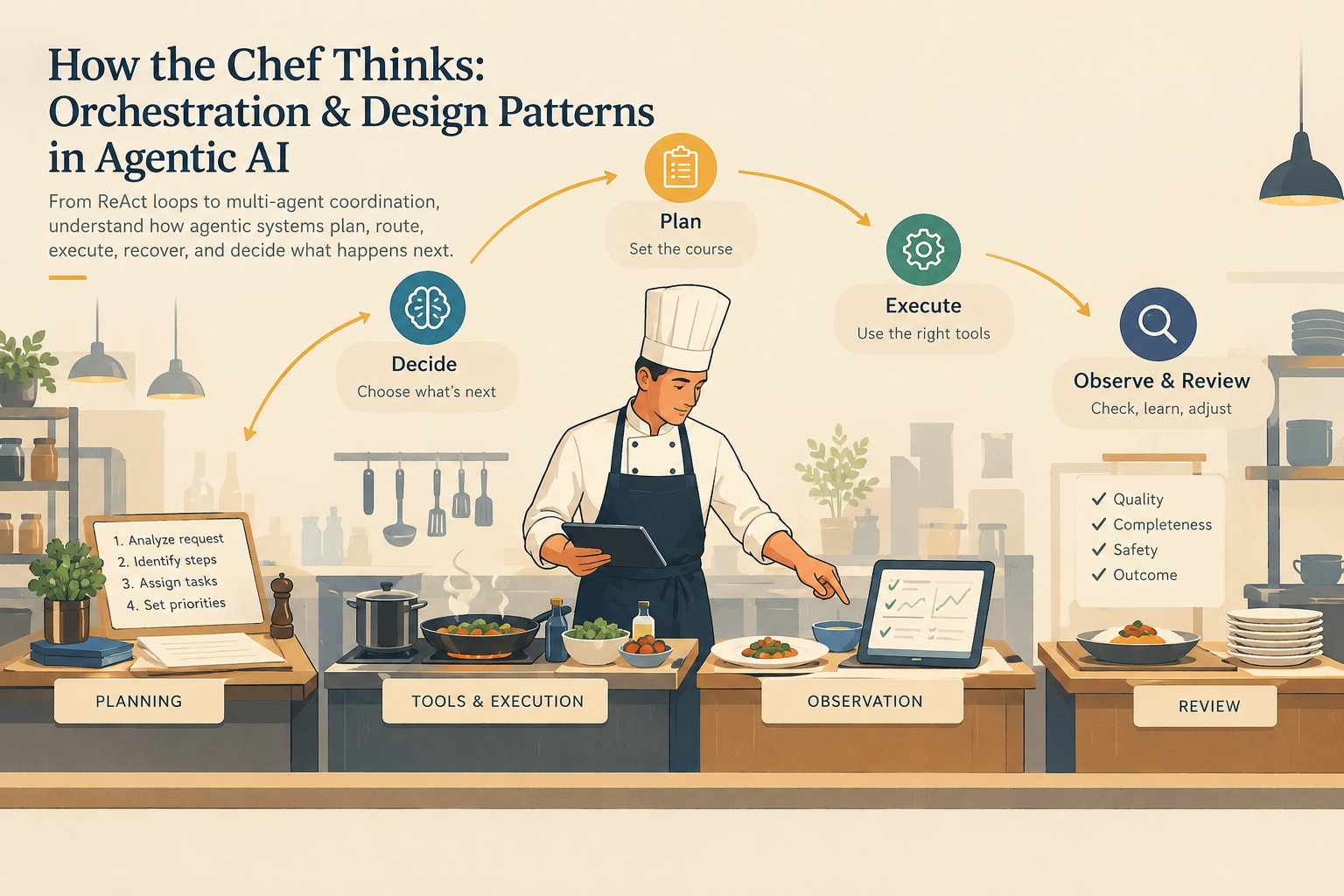
👨🍳 Next: How the Chef Thinks --- Orchestration & Design Patterns
In the next article, we'll explore how agentic systems coordinate actions into workflows, including:
- ReAct-style reasoning and acting loops
- plan-then-execute patterns
- routing and delegation
- reflection and critique
- multi-agent collaboration
- graph-based workflows
- state management
- sequential versus parallel execution
- failure handling
- when a deterministic workflow is a better choice than an autonomous agent
Because giving the chef hands is useful.
But deciding which hand should do what, when to act, how to respond to failure, and when to stop---that is orchestration.
🗺️ The Series So Far
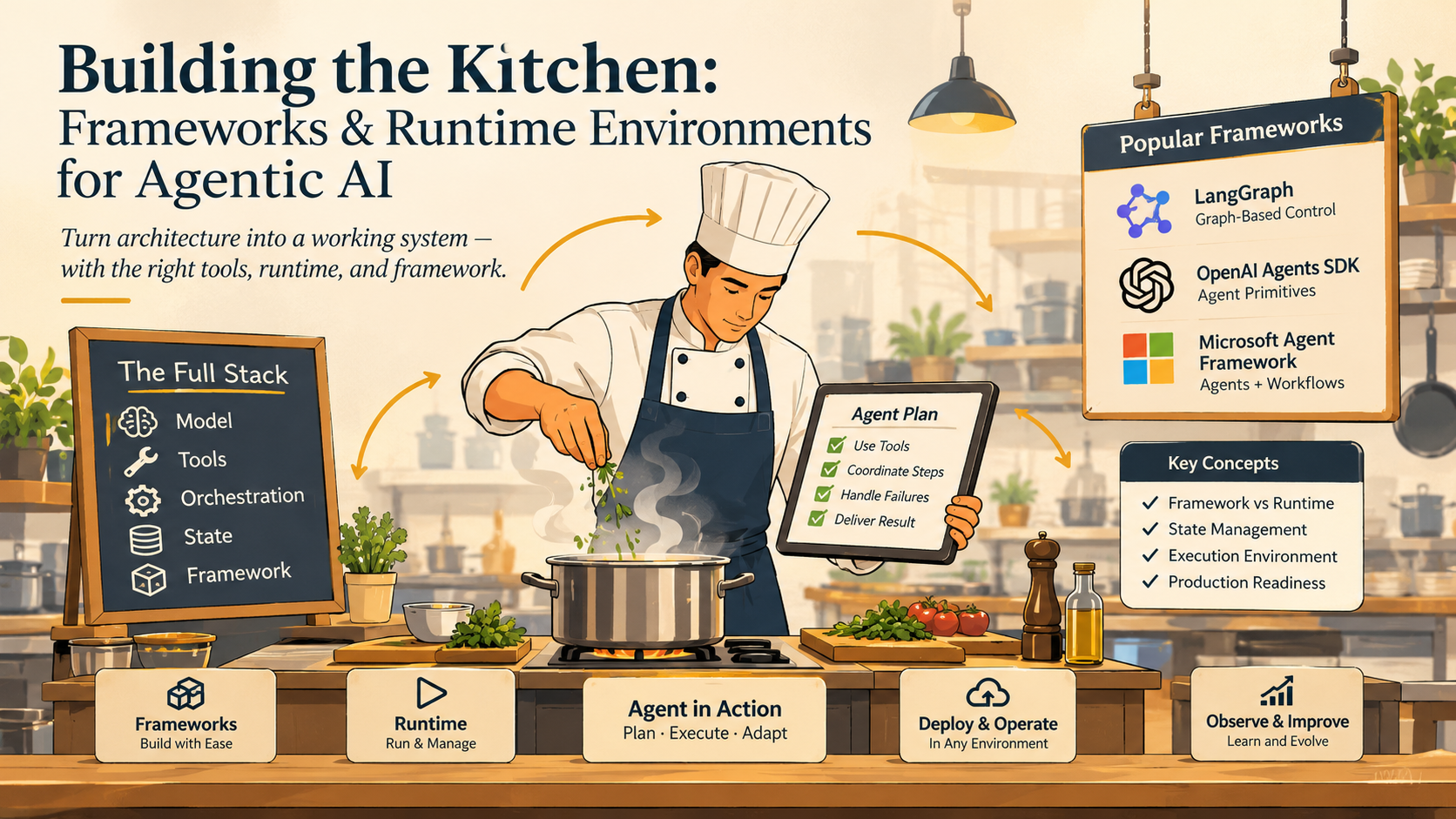
01 --- The Culinary Architecture of Agentic AI: A Blueprint for Autonomous Systems
The complete map of the kitchen.
02 --- Choosing the Right Rice: Understanding Foundation Models in Agentic AI
The intelligence at the center.
03 --- Giving the Chef Hands: Tools & Execution in Agentic AI
Turning intelligence into action---and learning how to control and verify that action.
04 --- How the Chef Thinks: Orchestration & Design Patterns
Coming next: coordinating actions into reliable workflows.
An agent becomes powerful when its intelligence can interact with the world.
But the moment you give an AI system the ability to act, you also inherit the responsibility of controlling how it acts, understanding what happened, and verifying whether the result supports the conclusion.
Tools and execution are not just about capability. They're about capability with boundaries, evidence, and accountability.
About the author
- I’m an engineer who enjoys turning messy engineering problems into simple, practical solutions. My work sits across AI automation, DevOps, SRE, cloud infrastructure, and developer experience. I like understanding why something is painful, finding ways to make it better, and building tools or workflows that reduce repetitive work and improve how developers operate. I write about the problems I encounter, the things I build, what I learn, and the ideas shaping modern engineering - from AI-assisted development and agentic systems to cloud automation, reliability, and developer tooling. I’m especially interested in the space where engineering, automation, and people meet - building useful technology and communicating it clearly.
Comments
Join the discussionThe kitchen metaphor holds up better than most, and I would put the boundary exactly where you do, at reason versus hands. In practice the hard part comes after you give the model hands: what happens when one fails quietly, the tool returns a partial result or a stale read and the model narrates right over it. Does the series get into verifying the tool result before the model acts on it, or mostly the execution plumbing?
Thank you! That's actually a big part of why I'm writing this series.
My goal isn't to teach people how to build agents using a particular framework or SDK. I want readers to understand the architecture behind agentic AI: why each component exists, how the components interact, what can go wrong, and what trade-offs we make when designing these systems.
I believe that when you understand the underlying concepts, learning a framework becomes much easier because you're no longer just learning APIs; you understand what those APIs are helping you build.
And your point about silent failures, partial results, and stale reads is exactly the kind of thing I want readers to think about. Execution is only one part of the picture. Verifying results, handling failures, and deciding whether the agent has enough evidence to proceed are equally important design considerations.
The goal is to build that mental model first, so readers can reason about these systems regardless of which framework or SDK they eventually use. Thanks for raising this!
The structured tool-result example would benefit from an explicit completeness field. A log query can succeed while returning only the first page, and a command can run successfully while its captured output is truncated. A status of success alone does not tell the agent whether it has enough evidence to conclude that no other errors occurred.
I would return returned_count, a continuation token or has_more flag, and a truncation indicator where relevant. Then a fixture with the decisive error just beyond the first page can check whether the agent fetches more evidence instead of treating a partial result as the whole system state.
This is an excellent catch. Thank you for taking the time to explain it so clearly!
You're absolutely right: a successful tool call doesn't necessarily mean the result is complete enough to support a conclusion. Pagination, truncated output, and incomplete evidence can easily lead an agent to make an incorrect decision while believing it has the full picture.
Your suggestion about returned_count, has_more or a continuation token, and a truncation indicator helped me think about structured tool results more carefully. I've updated the blog to incorporate this distinction between execution success and result completeness.
I especially like your idea of testing with a decisive error just beyond the first page. It turns the concept into something measurable: we can verify whether the agent retrieves the additional evidence instead of prematurely concluding that everything is fine.
This is exactly the kind of feedback that makes technical writing. Really appreciate it!
The update gives the reader a useful next decision: a successful partial result may justify continuing retrieval, but it does not justify a global conclusion. I would also show what happens when the next page cannot be fetched.
That case should leave the conclusion explicitly limited to the inspected evidence rather than converting the failed continuation into “no more errors.” It complements the beyond-first-page fixture by checking the agent’s behavior when completeness cannot be established at all.
thats a good point, i will add that too ...
An explicit incomplete state would make that addition easy to follow. The example can show returned_count greater than zero, has_more true, and a continuation failure together, then require an answer limited to the inspected records.
It is useful to keep the partial data available for diagnosis while preventing it from being relabelled as a complete result. That demonstrates the recovery behavior without suggesting that every tool error requires discarding all evidence.
The Culinary Architecture of Agentic AI
A layered guide to understanding how modern agentic AI systems are built—from foundation models and tools to orchestration, RAG, memory, agent communication, security, and observability. Using a culinary architecture metaphor, this series breaks down the components that turn an LLM into a reliable autonomous system.